









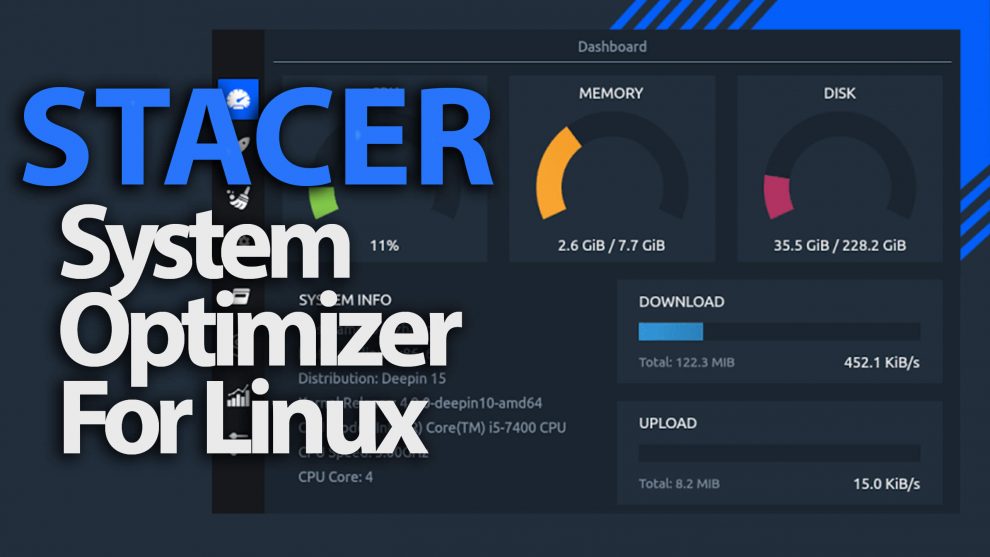

Stacer is an open source system optimizer and Application Monitor that helps users to manage entire system with different aspects. The app will prompt you to enter the sudo password most of the time to perform the action since it uses gksudo. If you failed to enter sudo password or wrong password will leads to fail many action in background but in front-end the app still run as a normal user.
In straight forward, it’s doing many activity instead of specific one, so we can say in another hand, its all in one system utility.
Stacer Features:
Dashboard: Display the system information & current system resource usage.
System Cleaner: Helps users to clean the variety of system caches, Its work similar to Ubuntu system cleaner and bleachbit.
Startup Apps: We can easily add, enable & disable startup applications.
Services: Easily enable & disable system services.
Uninstaller: Remove the unused applications through stacer.
Resources: We can see the detailed graph about CPU, Memory & Network utilization.
Required Packages:
curl
systemd
Debian x64
- Download
stacer_1.0.8_amd64.debfrom the Stacer releases page. - Run
sudo dpkg -i stacer*.debon the downloaded package. - Launch Stacer using the installed
stacercommand.
Fedora x64
- Download
stacer_1.0.8_x64.rpmfrom the Stacer releases page. - Run
sudo rpm --install stacer*.rpmon the downloaded package. - Launch Stacer using the installed
stacercommand.
Video
https://www.youtube.com/watch?v=g4fM0Y8FIN8&feature=youtu.be



Add Comment